ChatGPT Look Book - BridgeIncluded.ca
How to Use This Chat
BridgeIncluded.ca ChatGPT Remixer Look Book
Turn your ideas into cinematic scene plans drawn from a real 150‑acre Northern Ontario site. This chat helps you browse preloaded image packs, pick frames, and assemble storyboards or look‑book PDFs.
What this chat does
- Finds shots from preloaded packs (bridge, river, pit scenery, gardens, duplex exterior/interior, shop exterior/interior).
- Curates and sequences frames into shortlists, contact sheets, and storyboards.
- Exports a contact sheet, storyboard, or look‑book PDF with captions and IDs.
Quick commands
Browse images
- “List all available packs.”
- “Show 12 wide shots from the river pack.”
- “Search the pit scenery pack for dusk, fog, or long‑lens frames.”
Build a scene
- “Stage a sunrise winter establishing shot of the bridge with the river in background — natural light, 50 mm, low angle.”
- “Give me three coverage options for a duplex entrance dialogue: wide, medium, close.”
Assemble a sequence
- “Create a 6‑panel storyboard: 1) bridge approach, 2) reveal river bend, 3) pit lookout, 4) duplex exterior, 5) shop interior, 6) garden path.”
Export
- “Make a contact sheet of my picks.”
- “Package a PDF look book with titles and shot notes.”
Typical fast workflow
- Pick a base pack: “Start with river — wide, overcast, winter.”
- Refine the look: time of day, weather/season, lens feel (24/35/50/85), angle (low/high/eye‑level), movement (static/track).
- Select frames: I’ll return thumbnails with IDs; reply “keep 3, 7, 11.”
- Layer context: “Add bridge foreground options that match overcast; suggest 3.”
- Sequence: “Order them into intro → journey → reveal; add one‑line beat notes.”
- Export: “Output storyboard PDF, 16:9, with captions.”
Be specific (it helps)
- Mood: blue hour / golden hour / overcast / fog / snow / summer
- Camera: focal‑length feel (24/35/50/85), handheld vs locked‑off, low/high/eye level
- Action: “two people approach duplex door,” “ATV crosses bridge,” etc.
- Continuity: match season, light direction, and color temp across picks
Packs included
- aerial
- bridge
- river
- pit scenery
- gardens
- duplex exterior
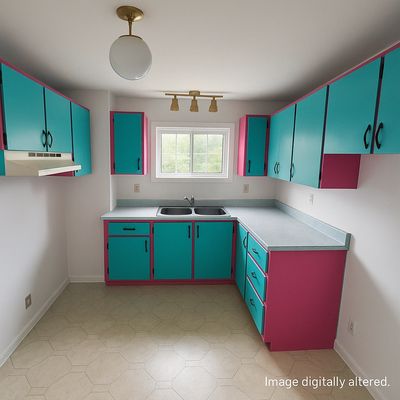
- duplex interior
- shop exterior
- shop interior
Each pack contains multiple WEBP frames at ~1600 px, labeled with IDs in a manifest.
Deliverables
- Curated shortlist with notes
- Contact sheets (N‑up thumbnails with IDs)
- Storyboards (ordered frames + beat text)
- Look‑book PDFs (cover, sections, captions)
Modes (optional fun)
Ask for a presentation style to preview the sequence:
- Light Mode (clean, bright)
- Dark Mode (cinematic, high contrast)
- Jazz Mode (playful headings)
- Pink Mode (soft accent tint)
Example: “Show my 9‑panel board in Dark Mode.”
Handy starter prompts
- “Show 9 moody overcast frames from bridge + river that could cut together.”
- “Pitch a 3‑location path for a product reveal (enter → traverse → reveal) using available packs.”
- “Build a winter vs summer A/B board for the duplex exterior.”
Tips for faster results
- Use specific nouns (pack names) and adjectives (mood/season).
- Give a target count: “show 12,” “return 6 options.”
- Confirm keeps with IDs only: “keep 2, 5, 9.”
- When exporting, state layout (e.g., 3×3), aspect ratio (e.g., 16:9), and whether you want captions.
Optional: “Marketplace Unhinged” tone
If you want a playful voice, say: “Unhinged mode on” — I’ll keep the instructions the same but spice up the narration.